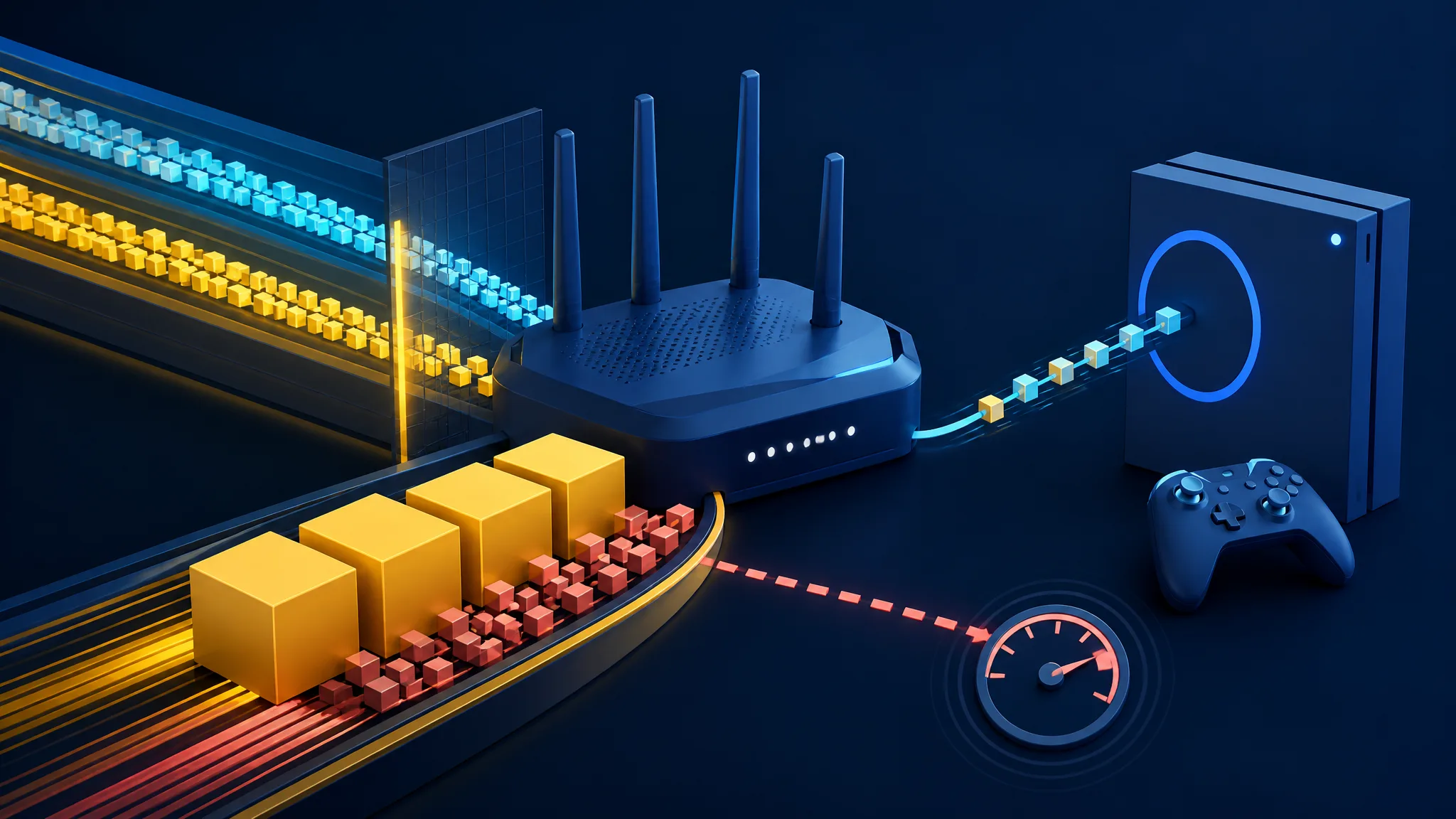
You are in the middle of a match when someone starts a cloud backup. Suddenly, your character jumps across the map, shots register late, and every command feels half a second behind. The obvious suspects are Wi-Fi, the game server, or your internet provider. Sometimes they are responsible. But if the lag appears precisely when your connection gets busy, an overloaded queue in your router or access path may be the real culprit. This guide shows how to recognise, test and reduce bufferbloat without giving up your whole connection.
A fast fiber connection gives you plenty of capacity, but capacity is not the same as responsiveness. When a download or upload fills a network queue, small game packets can wait behind larger transfers. The result is a normal-looking speed test, a low ping at rest and an unpleasantly laggy match.
Bufferbloat is the name for the extra delay created by excessive buffering in a router, modem or another device along the local access path. It can make a game feel broken precisely when the connection is working hardest. The practical answer is not to chase the biggest headline speed, but to measure what happens under load.
The problem is not always your fiber speed
Think of a single checkout line. If it stays short, a shopper with one item gets through quickly, even when another customer has a full cart. If the store keeps admitting carts faster than the checkout can process them, the line stretches and everyone waits.
Network packets behave in much the same way. A large download, a cloud backup or a video upload creates a stream of packets. A game creates much smaller packets, but those packets still need to pass through the same congested queue.
The added waiting time increases latency, the delay between sending a packet and receiving a response. It can also increase jitter, meaning that the delay varies from one packet to the next. A game experiences this as rubber-banding, delayed hit registration, missed input or an opponent appearing after the action has already happened.
The important clue is timing. If the game becomes unstable while another device is transferring data, then improves when that transfer stops, queueing deserves attention. It is a strong lead, not automatic proof.
In plain English
Bufferbloat is what happens when a network device keeps too many packets waiting in a queue. Large transfers continue, but small game packets sit behind them and arrive late.
Why a 1 Gbit/s connection can still feel slow
A speed rating describes how much data a connection can move over time. It does not promise that every packet will be handled immediately during a busy period. A 1 Gbit/s plan can therefore have excellent throughput while interactive traffic suffers from a long queue.
The upload side is easy to overlook. Cloud backups, large file submissions and live video can fill the upstream link. Games usually send modest amounts of data, but their commands still compete for that passage.
Downloads can cause the same trouble. Several devices may request data simultaneously, or a router may retain a large queue to keep the link fully occupied. That strategy can favour maximum transfer speed while pushing time-sensitive packets to the back.
Idle ping is only one part of the picture
A quiet-line ping tells you how the path behaves when it is mostly clear. A loaded ping tells you how much delay appears when traffic is moving. Neither measurement replaces the other.
That distinction explains why a conventional speed test can be reassuring and misleading at once. It is primarily designed to measure throughput, while a gaming session cares about timely, consistent packet delivery.
There is no universal millisecond number that defines a good connection for every player, route or game. The useful signal is the change between quiet and busy conditions, especially when the increase repeats during realistic household activity.
A familiar household moment
A laptop uploads photos to the cloud while a console is playing. The upload queue fills, so movement commands and game updates wait their turn even though the fiber line still has impressive capacity.
How to test for bufferbloat at home
You do not need to begin by replacing your router. First, create a simple comparison between an idle connection and the same connection under controlled load. If possible, use Ethernet for the test device so Wi-Fi interference does not blur the result.
- Stop large transfers and run a continuous ping to a stable internet destination. Note the typical response time and how much it varies.
- Start a download test or another substantial download. Watch the ping while the connection is busy, rather than recording only the speed result.
- Stop the download and repeat the process with an upload or file transfer. The upstream link may be the more sensitive direction.
- Compare the quiet, download-loaded and upload-loaded results. Repeat at another time if a single transfer gives an unusual result.
The Bufferbloat project describes this approach: keep a ping running while separately loading the download and upload paths. Gaming-oriented tests also emphasise quiet-line latency, loaded latency and variation under load.
A large, repeatable rise makes bufferbloat or another queueing problem plausible somewhere along the tested path. The test cannot identify the exact device by itself. The queue may be in your router, modem, access network or another bottleneck, while Wi-Fi can add a separate problem.
Three measurements, three questions
Quiet-line latency asks how quickly packets travel when little is happening. Loaded latency asks how much delay traffic adds while the connection is busy.
Throughput asks how much data moves over time. It can look excellent while loaded latency becomes unstable, so a speed test alone cannot describe the gaming experience.
Separate bufferbloat from other kinds of lag
Bufferbloat tends to follow a household event. Someone starts a backup, a download begins, or a video upload runs in the background. The game then develops delayed movement, sudden position corrections or inconsistent interaction.
Wi-Fi trouble often has a different pattern. Distance, interference, weak signal or local radio contention can cause lost or delayed packets even when no large transfer is running. Repeating the test over Ethernet helps separate the wireless link from the rest of the network.
A game server or an internet route can also be responsible. If only one game or one region behaves badly, while other services remain stable, the remote path deserves more attention. A browser-based test cannot measure the exact route to every game server.
Use correlation, not guesswork
Suppose you start a controlled download and your continuous ping rises at the same moment. The connection between load and delay is measurable. Suppose instead that the ping is already poor when the line is quiet. Queue management may not be the first place to look.
This distinction prevents expensive trial and error. It may save you from buying a new Wi-Fi system when the real issue is an overloaded upload queue—or from tuning advanced router settings when the game server is the problem.
A practical home test
Compare a continuous ping at rest with the same ping during separate download and upload tests. Look for a repeatable rise and greater variation under load.
- Test from Ethernet if possible
- Record the quiet-line ping
- Saturate download capacity and observe the change
- Repeat with upload capacity instead
How SQM, FQ-CoDel and CAKE help
Smart Queue Management, or SQM, is a family of techniques for controlling queues before they become excessively long. Rather than allowing a device upstream to fill an uncontrolled queue, SQM shapes traffic and manages packet waiting time at a point you can configure.
One option is FQ-CoDel. “FQ” means fair queuing: traffic is separated into flows so one large transfer does not dominate the line. “CoDel” is an active queue-management algorithm that responds to excessive time spent waiting. Together, they aim to reduce queueing delay and limit one flow’s ability to block others.
CAKE is another queue discipline designed for shaping and active queue management. It combines flow isolation with traffic shaping and offers features such as traffic classification and link-overhead compensation. Those features can make it useful on connections where the real bottleneck needs careful control.
The goal is not simply to give one game packet special treatment. A well-managed queue improves the behaviour of competing interactive traffic, including voice and video calls, while still allowing large transfers to continue.
Why the fix can require a lower speed setting
SQM usually works by shaping traffic slightly below the connection’s real bottleneck rate. That gives the configured device room to decide when packets enter the queue, instead of allowing the next device in the path to fill it first.
This sounds backwards: to make the connection feel faster, you may deliberately set a lower maximum rate. The trade-off is modestly lower peak throughput in exchange for shorter queues and more predictable response times.
Download and upload settings often need separate attention because they can saturate at different points. Start conservatively, measure the result, then adjust. An overly low limit wastes capacity, while an overly high limit may leave the actual queue uncontrolled.
The useful compromise
Traffic shaping can sacrifice a little peak throughput to keep queues short and games, calls and browsing more responsive.
An aggressive setting or underpowered router can waste too much capacity or consume significant processing power. Retesting is part of the configuration.
Limits, trade-offs and a sensible next step
SQM cannot repair weak Wi-Fi coverage, speed up a distant game server or change congestion outside the equipment you control. It also needs enough processing power. CAKE and FQ-CoDel can use router resources, so an older device may lose more throughput than expected.
Router interfaces differ widely. Some operator-supplied boxes offer only basic controls, while compatible firmware may expose more advanced queue settings. Record the existing configuration before changing it, and confirm that your hardware can sustain the intended traffic rate.
Most importantly, do not tune a problem that your measurements cannot reproduce. Test the quiet line, load download and upload separately, then retest with the activities that normally cause the lag. The best setting is the one that improves loaded latency without making ordinary transfers needlessly slow.
The diagnostic rule
If latency rises reliably when your own download or upload becomes busy, investigate queue management. If latency is poor at rest, look more broadly at Wi-Fi, routing, the access network or the server.
Conclusion: measure the busy connection
Fast fiber gives you capacity, not a guarantee of stable response time. When excessive queues form, game packets wait behind bulk traffic and loaded latency rises. That is the basic mechanism behind bufferbloat.
Start with a continuous ping and compare quiet, download-loaded and upload-loaded behaviour. If the increase is repeatable, try SQM with FQ-CoDel or CAKE on compatible hardware, shape slightly below the real bottleneck and measure again.
If latency is poor even at rest, or only one server behaves badly, widen the investigation to Wi-Fi, routing, the access network and the game itself. A few controlled tests can tell you whether your fiber needs more speed—or simply a shorter queue.
Sources
- RFC 8290: The Flow Queue CoDel Packet Scheduler and Active Queue Management Algorithm — Internet Engineering Task Force
- tc-cake(8) - Linux manual page — Linux man-pages project
- Traffic shaping with tc and CAKE — Canonical
- Bloat Wiki — Bufferbloat.net
- Tests for Bufferbloat — Bufferbloat.net
- Gaming Network Test for Ping, Lag, and Bufferbloat — Bufferbloat.org
- What a bufferbloat speed test measures — Bufferbloat.org
Daymain Team